🇺🇸 English· 🇲🇽 Ver en Español
← All features 📅 Scheduling & Dispatch 📋 Quotes & Estimates 🧾 Invoicing 💳 Flusso Pay 👥 Client Management 🔄 Service Plans ✍️ Contracts & E-Sign 📦 Inventory 💰 Commissions ✅ Tasks 🧑‍🔧 Team Management 📊 Analytics 📈 Job Profitability 🤖 Opi AI Assistant Pricing
Log in Get started →
✅ Tasks

Nothing slips
between jobs.

Callbacks, parts to order, quotes to follow up on — capture every to-do as a task, assign it to the right person and set a due date. Overdue items get flagged so they don't get forgotten. Starting at $27.97/mo.

Included in all plans Assign to anyone on the team Works on mobile
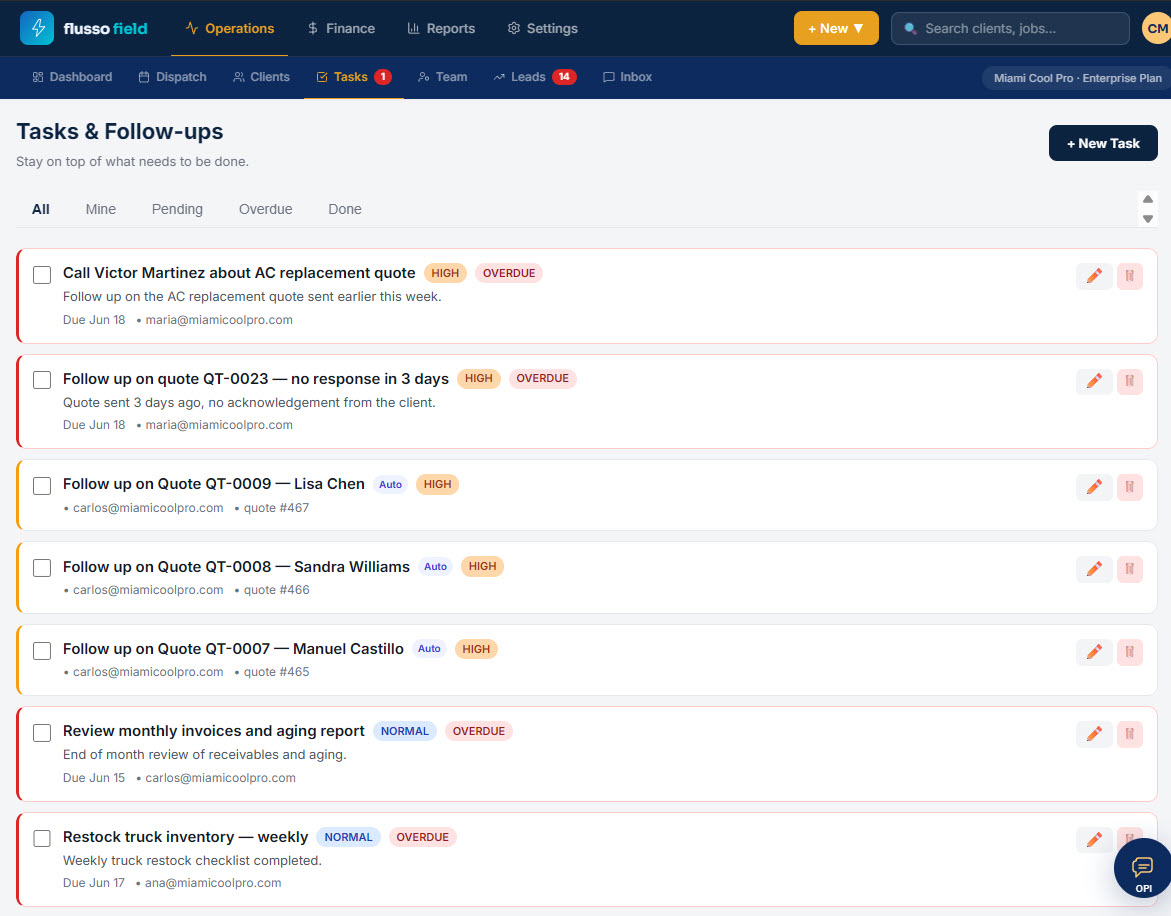
app.flussofield.com/tasks
Tasks screen
Assign
Every task to a person
with a due date
Overdue
Flagged in red so nothing
gets forgotten
5 views
All, Mine, Pending,
Overdue and Done
Create & Assign

Write it down,
hand it off.

Tap "+ New Task," type what needs doing, pick who's responsible and when it's due. Whether it's a callback, parts to order, or a follow-up after the job, it lands on the right person's list — not in someone's head.

  • Create a task with a title and a short description
  • Assign it to any team member by email
  • Set a due date so it shows up at the right time
  • Mark a priority — High or Normal
  • Check it off the moment it's done
New task
+ New Task
Call Victor Martinez about AC quote
Follow up on the AC replacement quote sent earlier this week.
HIGH Due Jun 18 maria@miamicoolpro.com
Stay On Top

See what's late
at a glance.

The Tasks & Follow-ups screen lists everything that needs doing, with overdue items flagged in red. Switch between All, Mine, Pending, Overdue and Done to focus on what's yours or what's slipping — no digging required.

  • Filter by All, Mine, Pending, Overdue or Done
  • Overdue tasks flagged in red so they stand out
  • Each card shows assignee, due date and priority
  • See the description right on the card — no extra tap
  • Edit or delete a task in one click
All Mine Pending Overdue Done
Follow up on quote QT-0023 · OVERDUE
Due Jun 18 · maria@miamicoolpro.com
Follow up on Quote QT-0009 — Lisa Chen
carlos@miamicoolpro.com · quote #467
Restock truck inventory — weekly · OVERDUE
Due Jun 17 · ana@miamicoolpro.com
Tied To The Work

Follow-ups that
chase themselves.

Some tasks write themselves. Send a quote and Flusso can spin up a follow-up so no estimate goes cold without a nudge. Tasks live next to your jobs, quotes and clients — so the to-do is right where the work is.

  • Auto follow-up tasks when a quote goes unanswered
  • Tasks reference the quote, client or job they belong to
  • Keep callbacks and parts orders out of your inbox
  • Everyone sees the same list — nothing lives in one head
From job to follow-up
1 Quote sent, no reply in 3 days
2 Follow-up task created for the rep
3 Rep calls the client back
Task checked off — job won
Tasks

Stop forgetting.
Start finishing.

Included in every plan. Assign tasks, set due dates and catch overdue items from day one. 30-day money-back guarantee — no questions asked.

Get started — from $27.97/mo → See pricing
30-day money-back Cancel anytime No contracts